Dockerizing a .NET Project
A practical guide to writing a Dockerfile for .NET — including a private nuget.config
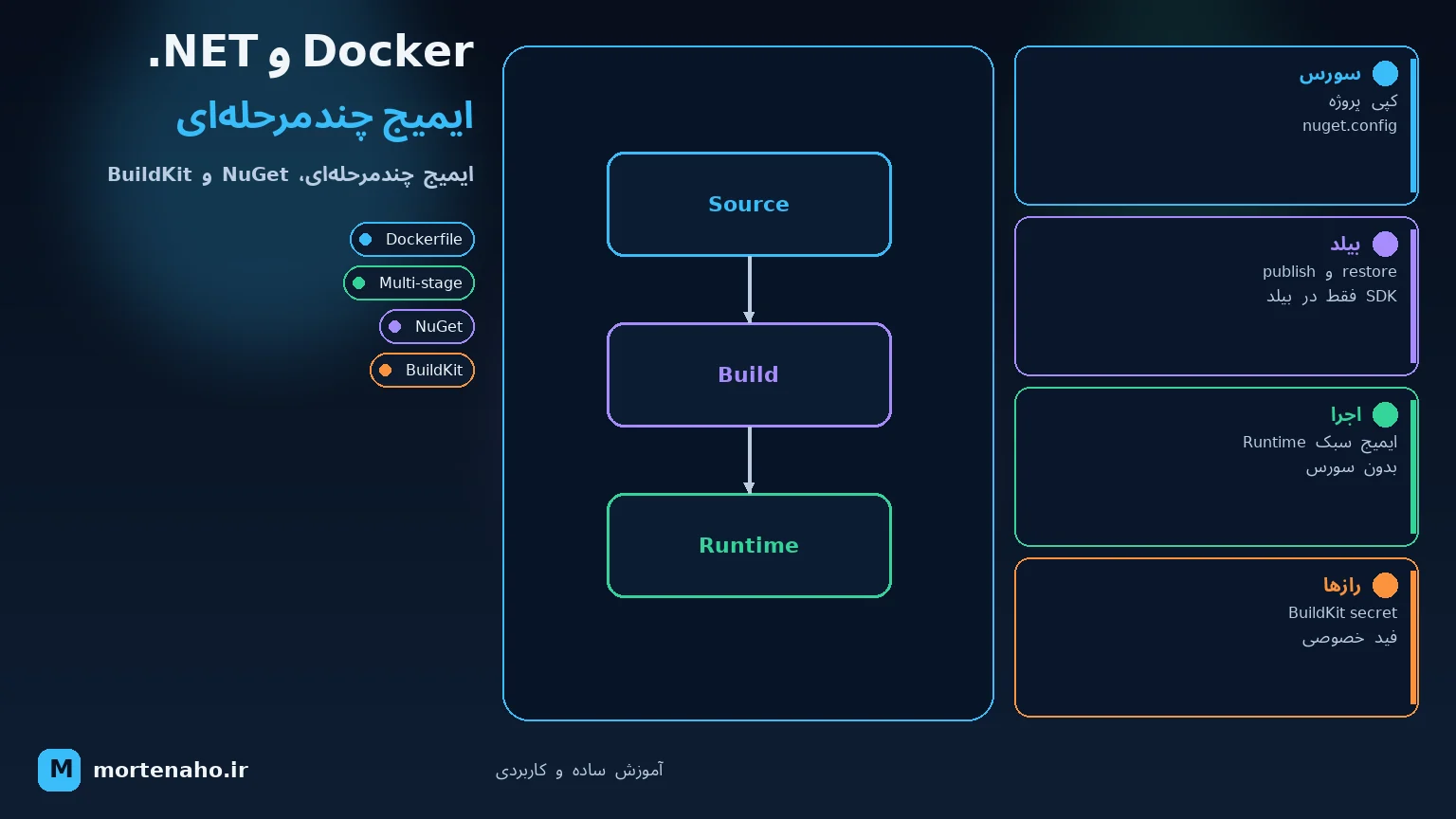
What will you learn here?
In this tutorial we package a real .NET 8 Web API into a Docker image: a clean, small, production-ready image built with a multi-stage build. Along the way we deal with one of the most common pain points teams hit — restoring NuGet packages from private feeds (such as Azure Artifacts, GitHub Packages or a self-hosted Nexus/BaGet) inside the container, using a nuget.config file.
By the end you'll have a Dockerfile, a .dockerignore, a nuget.config, and a docker-compose.yml — plus the commands to build and run everything safely.
1. Why Docker for .NET?
Docker lets you package your app together with the exact runtime it needs, so it runs the same on your laptop, your colleague's machine, and the production server. For .NET this is especially handy because:
- No "works on my machine" — the .NET SDK/runtime version is locked inside the image.
- The final image only ships the runtime, not the whole SDK, so it stays small.
- CI/CD pipelines can build once and deploy the same artifact everywhere.
mcr.microsoft.com/dotnet/sdk to build, and mcr.microsoft.com/dotnet/aspnet to run.
2. Project structure
Let's assume a typical Web API solution:
MyApp/
├─ src/
│  ├─ MyApp.Api/
│  │  ├─ MyApp.Api.csproj
│  │  └─ Program.cs
│  ├─ MyApp.Application/
│  │  └─ MyApp.Application.csproj
│  └─ MyApp.Domain/
│     └─ MyApp.Domain.csproj
├─ nuget.config
├─ .dockerignore
├─ Dockerfile
└─ MyApp.sln
Keep the Dockerfile, nuget.config and .dockerignore at the repository root so the build context is the whole solution.
3. nuget.config — what & why
nuget.config tells the .NET tooling where to download packages from. By default it only knows about the public feed (nuget.org). The moment your team uses a private package feed, you must declare it here — otherwise dotnet restore fails inside Docker with a "package not found" or "401 Unauthorized" error.
3.1 Public feed only
The simplest config — pin the public source explicitly so the build is reproducible:
<?xml version="1.0" encoding="utf-8"?>
<configuration>
  <packageSources>
    <clear />
    <add key="nuget.org" value="https://api.nuget.org/v3/index.json" protocolVersion="3" />
  </packageSources>
</configuration>
<clear /> removes any inherited sources from machine-level config, so the container only uses exactly what you list. This is important for predictable CI builds.
3.2 Adding a private feed
Now add your private feed and its credentials. Never hard-code a real token in a committed file. Instead use an environment-variable placeholder that NuGet expands at restore time:
<?xml version="1.0" encoding="utf-8"?>
<configuration>
  <packageSources>
    <clear />
    <add key="nuget.org" value="https://api.nuget.org/v3/index.json" protocolVersion="3" />
    <add key="my-private" value="https://pkgs.dev.azure.com/myorg/_packaging/myfeed/nuget/v3/index.json" />
  </packageSources>

  <packageSourceCredentials>
    <my-private>
      <add key="Username" value="myorg" />
      <add key="ClearTextPassword" value="%NUGET_TOKEN%" />
    </my-private>
  </packageSourceCredentials>
</configuration><packageSourceCredentials> must match the source key exactly (my-private here). Any spaces in the key become _x0020_ — so keep keys simple with no spaces.
%NUGET_TOKEN% is read from an environment variable. We'll feed that into Docker as a build secret in the next sections — so the secret never lands in the image history.
4. .dockerignore
Before writing the Dockerfile, add a .dockerignore. It keeps the build context small and fast, and — critically — stops local build artifacts and secrets from being copied into the image.
# build output
**/bin/
**/obj/
# IDE / VCS
.vs/
.git/
.gitignore
# docker
Dockerfile
.dockerignore
# misc
**/*.user
**/appsettings.Development.jsonbin/ and obj/ is the single biggest win — otherwise stale local builds get copied in and can break the layer cache or leak machine-specific paths.
5. Writing the Dockerfile
5.1 Multi-stage build
The trick to a small image is two stages: a build stage that has the full SDK and does restore/publish, and a runtime stage that copies only the published output onto the lean ASP.NET runtime image.
# ---------- Build stage ----------
FROM mcr.microsoft.com/dotnet/sdk:8.0 AS build
WORKDIR /src

# Copy csproj + nuget.config first to maximize layer caching
COPY nuget.config ./
COPY src/MyApp.Api/MyApp.Api.csproj            src/MyApp.Api/
COPY src/MyApp.Application/MyApp.Application.csproj  src/MyApp.Application/
COPY src/MyApp.Domain/MyApp.Domain.csproj      src/MyApp.Domain/

# Restore using the nuget.config at the root
RUN dotnet restore src/MyApp.Api/MyApp.Api.csproj --configfile nuget.config

# Now copy the rest of the source and publish
COPY . .
RUN dotnet publish src/MyApp.Api/MyApp.Api.csproj \
    -c Release -o /app/publish --no-restore

# ---------- Runtime stage ----------
FROM mcr.microsoft.com/dotnet/aspnet:8.0 AS final
WORKDIR /app
COPY --from=build /app/publish .

EXPOSE 8080
ENV ASPNETCORE_URLS=http://+:8080
ENTRYPOINT ["dotnet", "MyApp.Api.dll"]restore layer and skips re-downloading every package — build times drop dramatically.
5.2 Passing the feed token safely
The private feed needs NUGET_TOKEN. The wrong way is ARG NUGET_TOKEN + ENV, because build args get baked into the image history and can be inspected later. The right way is BuildKit secrets, which mount the value only for one RUN and never persist it:
# syntax=docker/dockerfile:1.7
FROM mcr.microsoft.com/dotnet/sdk:8.0 AS build
WORKDIR /src

COPY nuget.config ./
COPY src/MyApp.Api/MyApp.Api.csproj src/MyApp.Api/
# ... copy other csproj files ...

# Mount the token as a secret only for this RUN
RUN --mount=type=secret,id=nuget_token \
    NUGET_TOKEN="$(cat /run/secrets/nuget_token)" \
    dotnet restore src/MyApp.Api/MyApp.Api.csproj --configfile nuget.config

COPY . .
RUN dotnet publish src/MyApp.Api/MyApp.Api.csproj -c Release -o /app/publish --no-restore
The first line # syntax=docker/dockerfile:1.7 is required to enable the secret mount feature.
echo $NUGET_TOKEN or leave the token in a RUN that gets cached. With --mount=type=secret the value lives only in memory for that single command.
5.3 How Docker layer caching works
Every line in a Dockerfile (FROM, COPY, RUN, …) creates a layer. During docker build, Docker walks the file top to bottom and asks for each layer: "Do I already have an identical result from a previous build?" If yes, it reuses the cached layer and skips re-running that step.
The basic rule
Docker caches a layer only when all of these are true:
- The instruction text is exactly the same (e.g. the same
RUN dotnet restore …command). - Every layer above it was also taken from cache (the chain must stay intact).
- For
COPY/ADD: the files being copied have the same content checksum as last time.
What happens in our Dockerfile — step by step
| Instruction | When cache is reused | When cache breaks |
|---|---|---|
FROM … AS build | Same base image tag (e.g. sdk:8.0) already pulled locally | You change the tag, or pull a newer digest for the same tag |
WORKDIR /src | Almost always (unless a layer above changed) | A layer above was rebuilt |
COPY nuget.config | nuget.config content unchanged | You add/remove a feed or change credentials placeholder |
COPY … .csproj | None of the copied .csproj files changed | You add a NuGet package reference or change TargetFramework |
RUN dotnet restore | All layers above cached and restore command unchanged | Any .csproj or nuget.config change — packages are downloaded again |
COPY . . | No file in build context changed since last build | Any file changed (even a comment in one .cs file) — expected on source edits |
RUN dotnet publish | COPY . . was cached (nothing in source changed) | Any source change — full compile runs again |
FROM … AS final | Runtime base image unchanged | New aspnet image tag/digest |
COPY --from=build … | Build stage produced the same publish output | Publish layer above changed |
Two practical scenarios
Scenario A — you only change Program.cs:
FROM→WORKDIR→COPY nuget.config→COPY csproj→RUN restore→ all cached ✅COPY . .→ cache miss (source changed) → runs againRUN publish→ runs again (layer above changed)
Result: NuGet packages are not re-downloaded. Only compile/publish runs — usually much faster.
Scenario B — you add a package to MyApp.Api.csproj:
COPY … .csproj→ cache miss (file content changed)RUN restore→ runs again, downloads the new packageCOPY . .andRUN publish→ also run again
Result: Expected — dependencies changed, so restore must run again.
Why COPY . . should come after restore
If you put COPY . . before dotnet restore, then any source edit (even fixing a typo in a comment) invalidates restore and forces NuGet to download everything again. Splitting "dependency files first, full source later" is the most important Dockerfile optimization for .NET.
Things that do not get cached the way you might expect
ARGvalues — changing a build arg invalidates all layers after theARGline that uses it.- Timestamps inside
RUN—RUN dateor commands that always produce different output never cache reliably. - Files excluded by
.dockerignore— they are not sent to Docker at all, so they cannot breakCOPY . .; that's another reason.dockerignorematters. docker build --no-cache— forces a full rebuild of every layer, ignoring all cache.
docker build, lines ending with CACHED reused a layer; lines without it were executed fresh. Use that output to see exactly where your cache broke.
6. docker-compose
For local development with a database, a compose file ties everything together:
services:
  api:
    build:
      context: .
      dockerfile: Dockerfile
    ports:
      - "8080:8080"
    environment:
      - ASPNETCORE_ENVIRONMENT=Development
      - ConnectionStrings__Default=Server=db;Database=myapp;User=sa;Password=Your_password123;TrustServerCertificate=True
    depends_on:
      - db

  db:
    image: mcr.microsoft.com/mssql/server:2022-latest
    environment:
      - ACCEPT_EULA=Y
      - SA_PASSWORD=Your_password123
    ports:
- "1433:1433"ConnectionStrings__Default (double underscore) to the nested config key ConnectionStrings:Default — that's how you override appsettings from environment variables.
7. Build & run
Build with a private feed token (BuildKit secret)
# Make sure BuildKit is on (default on modern Docker)
export DOCKER_BUILDKIT=1

# Pass the token from an env var into the secret
echo "$NUGET_TOKEN" | docker build \
  --secret id=nuget_token,src=/dev/stdin \
  -t myapp:latest .
Or from a file
docker build --secret id=nuget_token,src=./token.txt -t myapp:latest .Run the container
docker run --rm -p 8080:8080 myapp:latestOr with compose
docker compose up --buildThen open http://localhost:8080/swagger to test the API.
| Command | What it does |
|---|---|
| docker build -t myapp . | Build the image |
| docker run -p 8080:8080 myapp | Run a container |
| docker images | List local images |
| docker compose up --build | Build & run the whole stack |
| docker system prune | Clean unused data/cache |
8. Best practices
- Multi-stage builds keep the final image to the runtime only — often 200–220 MB instead of 800+ MB.
- Copy .csproj first, restore, then copy the rest for maximum layer-cache reuse.
- Never bake secrets into
ARG/ENV; use BuildKit--mount=type=secret. - Pin the base image tag (e.g.
8.0, or a digest) so builds are reproducible. - Run as non-root in production — the official images support
USER $APP_UIDon .NET 8+. - Always add a
.dockerignoreto keep the context lean and avoid leakingbin/obj. - Use
--no-restoreonpublishsince you already restored — saves time and avoids surprises.
Final summary
- nuget.config declares your package sources; use
<clear/>+ an env placeholder for private feed credentials. - .dockerignore keeps
bin/objand secrets out of the build context. - Dockerfile = multi-stage: SDK image builds & publishes, ASP.NET runtime image runs.
- BuildKit secrets pass the NuGet token without leaking it into image history.
- docker-compose wires the API together with a database for local dev.
Now your .NET app is portable, reproducible and safe to ship. 🐳